
In short: web design and SEO (search engine optimization) work together when structure, speed, mobile usability and content hierarchy are planned during design rather than patched after launch. Design decides what search engines can crawl and understand, and SEO decides which pages deserve to exist and what they should say. If you settle both in the same workflow, you avoid paying twice for the same pages.
Most sites still run the other way round.
A designer builds a beautiful homepage with the client’s old content, the site goes live, and only then does someone try to “add SEO”. By that point the navigation, the templates and the URL structure are fixed, so every fix means redesign work. The seven steps below put search decisions where they’re cheapest to make. Each one comes with a designer action and a quick check you can run in a few minutes.
How web design affects SEO: the mechanism in one paragraph
A search engine follows links to discover a page, downloads its HTML (the code the browser receives), renders it, and stores what it understood in its index.
When someone searches, it ranks the indexed pages it trusts most for that query. Your design touches every link in that chain, which is why crawl and index problems so often start in a template. Navigation decides which pages get found, templates decide whether headings and text are readable by a crawler, and page weight decides how fast the page loads.
After the click, design takes over completely.
A visitor who can’t find the answer, waits for a slow page or fights a broken mobile layout goes straight back to the search engine results page. That visit is lost, even if you ranked well, because user experience (UX) decides what happens after the click. So the question isn’t whether design or SEO matters more. Search brings the visitor and builds visibility, and design decides whether that visit turns into an enquiry, a sale or a bounce.

Step 1: Map keywords to pages before the first wireframe
Keyword research belongs at the start of a web design project, because it tells you which pages the site needs. Each important web page should target one main topic, a few relevant keywords and the search intent behind it. “Logo designer near me” wants a local service page, while “how much does a logo cost” wants a pricing guide. If you discover those intents after the sitemap is approved, you end up squeezing three topics onto one page. It is argued more carefully on efusiontech.com.
Designer action: build a simple spreadsheet with one row per planned page. List the main keyword, two or three related phrases, the intent (learn, compare, buy, contact) and the call to action (CTA) the page should drive. Use it as the brief for every wireframe.
This sheet is your SEO strategy in its simplest form. Free tools are enough to begin. Google Search Console shows the queries an existing site already appears for, and Google Keyword Planner gives rough volumes once you have a Google Ads account. For a redesign, export the current pages that earn clicks first: those URLs and their content are assets you must protect.
Quick check: two pages in your sheet shouldn’t share the same main keyword. If they do, merge them or give one of them a different intent, otherwise they’ll compete with each other in search.
Step 2: Plan site structure, navigation and URLs
Site structure is the order in which your pages hang together: home, main sections, then detail pages. A logical hierarchy helps visitors navigate and helps search engines understand which pages matter most, since important pages usually receive more internal links. For a small business site, a flat structure where every key page sits within two or three clicks of the homepage is a sensible starting point, not a rule. Originally covered on https://adlibweb.com.
Designer action: turn the keyword sheet into a sitemap diagram before any visual work. Group pages by topic, name each main navigation item with the words people actually search (“Web Design Services” beats “What We Do”), and add breadcrumbs on deep pages.
Then fix the URL structure. Short, readable URLs built from words, such as /services/logo-design/, beat strings full of parameters like /page?id=1234. Pick one pattern and keep it, because changing URLs later forces redirects. Make sure the site runs on HTTPS, the encrypted version of HTTP, which Google uses as a ranking signal.
Finally, plan an XML (Extensible Markup Language) sitemap, a file that lists the URLs you want indexed. Most content management systems generate one automatically. Google’s documentation caps a single sitemap file at 50,000 URLs or 50 megabytes uncompressed, which only matters for large catalogues.
Quick check: pick any important page and count the clicks from the homepage. If you need more than three, or if the only path is the site search, move it up the hierarchy or link to it from a hub page.

Step 3: Design mobile-first, and accessible from the start
Google uses mobile-first indexing, which means it mainly crawls and evaluates the mobile version of your pages. If your mobile layout hides text, drops sections or removes links that exist on desktop, Google may never see them. A mobile-friendly site isn’t a bonus any more: on a mobile device, it’s the version that counts. A responsive design, one layout that adapts to every screen size, avoids that problem and is what Google recommends.
Designer action: design the small screen first, then expand. Keep the same content and headings on mobile and desktop, size buttons for thumbs, and test long titles in your mockups, not just tidy placeholder text. One caveat: if your analytics show that most of your audience uses desktops, as with some B2B tools, design for them first while keeping mobile fully usable.
Accessibility overlaps with SEO more than most people expect.
Descriptive alt text on images helps screen readers and tells search engines what the image shows, as required by WCAG (Web Content Accessibility Guidelines) success criterion 1.1.1.
WCAG 2.2 also asks for a text contrast ratio of at least 4.5:1 for normal text (criterion 1.4.3). Touch targets should measure at least 24 by 24 CSS pixels (criterion 2.5.8). Many designers aim for 44 by 44 pixels, which matches the stricter level of the guidelines (level AAA, the highest of WCAG’s three conformance levels).
There’s also a legal side. In the European Union, the European Accessibility Act has applied since 28 June 2025 to many consumer-facing digital services, e-commerce included, with an exemption for microenterprises that provide services. An accessible design is simply easier to defend.
Quick check: open the page on a real phone. Can you read every paragraph without zooming, tap each button without hitting its neighbour, and find the main CTA without scrolling far?
Step 4: Set a speed budget for Core Web Vitals and images
Core Web Vitals are Google’s three measures of loading, responsiveness and visual stability.
On web.dev, Google sets “good” at a Largest Contentful Paint (LCP, the time until the main content appears) of 2.5 seconds or less. Interaction to Next Paint (INP, the delay after a tap or click) should stay at 200 milliseconds or less. Cumulative Layout Shift (CLS, how much the page jumps while loading) should stay at 0.1 or less. INP replaced First Input Delay in March 2024.
Design choices drive most of these numbers, and site speed affects both rankings and conversions. A full-screen video hero, five web fonts and an autoplay slider will make LCP late no matter how good the developer is. So treat speed as a design constraint with a budget, not as a developer’s clean-up job.
Designer action:
- export images at the size they’re displayed, in modern formats such as WebP or AVIF (AV1 Image File Format), and compress them;
- give every image width and height attributes so the layout doesn’t shift;
- lazy-load images below the fold, but never the hero image, because it’s usually the LCP element;
- limit yourself to two font families and a few weights;
- reserve space for banners, embeds and cookie notices.
Hosting and caching matter too. Time to First Byte (TTFB, how long the server takes to start answering) depends on the server, and browser caching lets returning visitors reuse files they already downloaded. A CDN (content delivery network, servers spread around the world that hold copies of your files) helps when visitors come from several countries.
Quick check: run the main templates through Google PageSpeed Insights on mobile. Look at the field data first, which comes from real Chrome users. Lab scores help you debug, but a Lighthouse score of 100 doesn’t guarantee rankings.
Step 5: Build heading hierarchy into the type system
Headings tell readers and search engines how a page is organised. Each page should have a single H1, the main title, followed by H2 and H3 subheadings in descending order without skipping levels. The trouble is that designers often choose heading tags for their looks. Someone needs a smaller title, so they use an H3 where an H2 belongs, and the outline breaks.
Designer action: separate the visual style from the tag. Define heading styles in your design system, then add a “compact H1” variant for pages with long titles, so editors never pick the wrong tag to get the right size. Write the page title tag and meta description into the page template brief, since they shape how the page appears in search results.
The title tag remains one of the clearest signals of what a page is about, so put the main keyword near the start. The meta description isn’t a ranking factor, and Google may rewrite it, but a clear one can lift the share of people who click. Google ignores the old meta keywords tag entirely, so don’t spend time on it.
Quick check: install a free heading outline browser extension, or view the page source and search for <h1. You should find exactly one H1 per page, and the outline of H2 and H3 headings should read like a table of contents.
Step 6: Design content blocks for intent and conversion
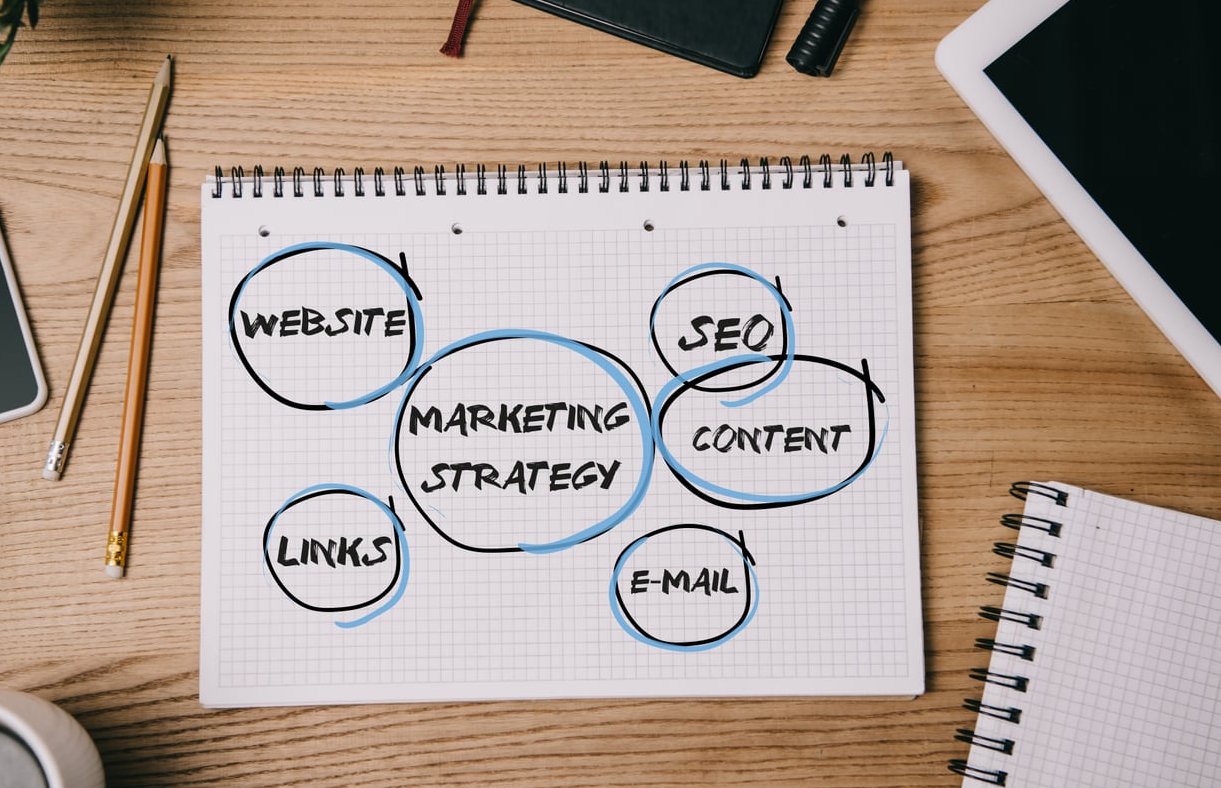
Content blocks are the reusable sections of a template: hero, benefits, process, proof, pricing, FAQ, contact. When they’re designed around the search intent of the page, the content answers the query and the layout leads to the next action. When they’re designed in the abstract, writers end up cutting useful text to fit a box.
The old argument between “content first” and “design first” has a practical compromise. Agree on the function of the page and its CTA, block out the sections, write the copy, then finish the visual design. Your mockups should include real or realistic text lengths, including very long titles and very short paragraphs, so the design survives contact with real content.
Designer action: make sure key text lives in the HTML, not inside images or behind tabs that only load after a click. JavaScript isn’t bad for SEO, and Google can render it, but content that appears only after a user interaction may never be seen. Add structured data, the code that labels your business details, products, articles or FAQs, through schema.org markup. It helps search engines read the page, but Google states that it doesn’t guarantee rich results.
Think about conversion and credibility at the same time: reviews, client logos and real project photos make a user-friendly page more convincing. Here’s an annotated example: a page with 1,000 visits a month that converts 1% brings 10 enquiries. Raising the conversion rate to 2% through clearer CTAs and better proof doubles the leads without a single extra visitor. Search and design pay off together, which is why they belong in one plan.
Quick check: disable images and styles in your browser, or use a text-only view. If the page still makes sense and the main offer is clear, search engines and screen readers can read it too.
Step 7: Wire internal linking into the templates
Internal linking means the links between your own pages. They help visitors find related content, help search engines discover new pages and show which pages you consider important. A page with no internal links pointing to it, often called an orphan page, may be crawled rarely or not at all.
Designer action: design slots for links rather than hoping editors will add them. Useful patterns include:
- a related services or related articles block at the end of each page;
- contextual links inside body text, with anchor text that describes the target page;
- breadcrumbs on deeper pages;
- hub pages that link to every page in a topic group.
Keep anchor text descriptive. “See our logo design process” tells everyone what’s behind the link, while “click here” tells nobody anything. Avoid stuffing the footer with dozens of keyword links, which helps neither users nor rankings.
Quick check: crawl the staging site with a tool such as Screaming Frog SEO Spider, which is free for up to 500 URLs. Look for pages with zero inlinks, broken links and redirect chains before launch.

Launch and redesign: protect what already ranks
A redesign can improve search performance or quietly wipe it out. The usual cause isn’t the new look. It’s changed URLs without redirects, removed pages that used to earn traffic, or a staging setting left on after launch. For a site that already has organic traffic, this step matters more than any of the seven above.
Before launch, build a redirect map that pairs every old URL with its closest new equivalent, using permanent 301 redirects as Google’s site move documentation recommends. Keep the content of pages that rank well unless you have a reason to change it. Remove any noindex tag or password protection used on staging, check the robots.txt file, and submit the new XML sitemap in Google Search Console.
The robots.txt file is also where you decide how AI crawlers treat your site. OpenAI’s crawler identifies itself as GPTBot, and Google offers a separate Google-Extended token to control use of your content for its AI models. Blocking them is a business decision, but blocking them by accident through a broad rule is a design mistake. In our view, a site that returns errors or blocks crawlers gives AI answers little to work with.
After launch, watch the Page indexing report in Search Console for two to four weeks. Fix 404 errors on old URLs that still get visits, and compare clicks per page with the weeks before the switch.
Who should handle what: a decision table
Small businesses often ask whether they need one agency for website design and SEO services, or two specialists. Both can work, provided someone owns the shared decisions: sitemap, templates, URLs, speed budget and launch. The worst setup is two teams who meet only after launch, because you pay for changes that could have been avoided.
| If you are… | Do this | Avoid this |
|---|---|---|
| A local service business with 5 to 10 pages | One designer who knows on-page SEO, plus Search Console set up from day one | Paying a monthly retainer before the site structure is right |
| A business redesigning a site that already ranks | SEO review of the sitemap and redirect map before design starts | Launching new URLs without 301 redirects |
| An online shop with hundreds of products | Category structure planned from keyword research, technical SEO audit before launch | Filters that create thousands of indexable duplicate URLs |
| A designer or small studio | Bake steps 1 to 7 into your process and include them in your quote | Selling “SEO included” without saying what it covers |
| A business hiring separate agencies | Joint kickoff and a shared owner for templates and launch | Letting the SEO team see the site only after it goes live |
When you vet any provider, look at real work and ask what results they achieved for clients in your sector. The clearest red flag is a guarantee of first-page rankings, since Google itself warns that no one can guarantee a top position.
Five mistakes that break SEO during design
These are the problems that show up most often when design and SEO run in separate lanes. Each one is cheap to prevent and expensive to fix later.
- Traffic drops right after a redesign. Cause: old URLs were changed or deleted without redirects. Fix: rebuild the redirect map from the old sitemap or analytics and add 301 redirects.
- New pages stay out of the index. Cause: a staging
noindextag or a robots.txt block survived launch. Fix: remove it, then request indexing in Search Console. - Mobile rankings lag behind desktop. Cause: the mobile layout hides content or links. Fix: show the same content on every screen size, using accordions if space is tight.
- Good rankings, few enquiries. Cause: the page answers the query but the CTA is buried or vague. Fix: one clear CTA above the fold and again after the main content.
- LCP fails on every page. Cause: an oversized hero image or video, often lazy-loaded by mistake. Fix: compress and resize it, load it eagerly, and serve it in a modern format.

How to measure whether design and SEO are working
Measure SEO performance and on-site behaviour together, otherwise you’ll optimise one at the expense of the other. A monthly review is enough for most small sites, with a closer look in the first weeks after launch.
- Google Search Console: impressions, clicks, click-through rate and average position per page, plus the Page indexing and Core Web Vitals reports.
- Google Analytics 4 (GA4): engagement rate, which replaced the old focus on bounce rate, and key events such as form sends or purchases.
- Scroll depth or heatmaps: they show whether visitors reach the content blocks you designed.
- Conversion rate per landing page: the number that tells you whether organic traffic is worth anything to the business.
Read trends over several weeks rather than single days. Search engine rankings move for many reasons, and one bad week rarely means the design is at fault.
Common questions about SEO costs, tools and AI
What is SEO in web development?
It’s the technical part of SEO that developers build into the site: clean HTML, fast server responses, HTTPS, crawlable navigation, correct status codes, redirects, sitemaps and structured data. Web design sets the structure and experience, and development makes sure search engines can access it.
How much does an SEO expert cost?
Prices vary too much by country, experience and scope for a single figure to mean anything. The common models are an hourly rate for advice, a fixed fee for an audit or a launch, and a monthly retainer for ongoing content and technical work. Ask what deliverables the price covers and how results will be reported, because a low retainer that produces no work costs more than a fair one that does.
What is the 80/20 rule in SEO?
It’s the Pareto principle applied to search: a small share of your pages and actions usually produces most of the results. In practice, that means fixing the templates and the handful of pages that earn or could earn most of your traffic before polishing everything else. For a new site, the seven steps above are that 20%.
Can ChatGPT do SEO?
It can help with keyword ideas, content outlines, first drafts, meta description options and simple code such as schema markup. It can’t see your Search Console data, test your real page speed, or know which pages already rank, and it can state wrong facts with confidence. Google’s guidance says AI-generated content isn’t against its rules as such, but mass-producing pages mainly to manipulate rankings falls under its spam policies.
Is SEO paid or free?
Organic rankings are free: Google doesn’t sell positions in its regular results. The work isn’t free, though, since it takes time, skills and sometimes paid tools. Paid ads are a different channel that stops sending visitors when the budget stops, while good SEO keeps working after the effort.
Is SEO still relevant in 2026?
Yes. People now find businesses through classic results, AI Overviews and chat assistants, but these systems still rely on pages they can crawl and understand. A fast, well-structured site with clear content serves all of them.
Checklist: web design and SEO before launch
- One main keyword and intent per page, mapped in a sheet.
- Sitemap diagram approved before wireframes; key pages within three clicks.
- Short, word-based URLs and HTTPS everywhere.
- Same content and links on mobile and desktop.
- Contrast, alt text and touch target size checked against WCAG 2.2.
- Speed budget set; LCP, INP and CLS tested on mobile templates.
- Images resized, compressed, with width and height set; hero not lazy-loaded.
- One H1 per page, headings in order, title tag and meta description written.
- Key text in the HTML; structured data added where it fits.
- Related-content blocks, breadcrumbs and no orphan pages.
- Redirect map tested, staging
noindexremoved, robots.txt reviewed. - XML sitemap submitted and Search Console monitored for four weeks.
Where to start
If you’re planning a new site or a redesign, start with the keyword-to-page sheet from step 1 before anyone opens a design tool. It takes an afternoon, it shapes the sitemap, the navigation and every template, and it’s the single document that keeps design and SEO pulling in the same direction. Then work through the other steps in order and run each quick check as you go.
For more on layout, typography and interface choices that make websites easier to use, browse the other web and graphic design articles on our blog.
FAQ
Does the website builder I choose affect SEO?
In our opinion, less than people fear. Popular platforms such as WordPress, Shopify, Wix and Squarespace give you the settings that matter, as long as you control titles, URLs, headings, redirects and page speed. The bigger risk is a heavy theme or too many plugins slowing the site down.
Are image sliders bad for SEO?
Not directly, but they often hurt the metrics that matter. A slider usually delays the main content, and most visitors never see the slides after the first one. A single strong hero image with a clear message is usually faster and easier to understand.
Can a one-page website rank on Google?
It can rank for one main topic, such as a brand name or a single service. It struggles when you offer several services, because one page can’t target several intents well. Separate pages give each service its own title, content and chance to rank.
Do pop-ups hurt SEO?
Google’s page experience guidance warns against intrusive interstitials that cover the main content on mobile right after a visitor arrives from search. Legally required notices, such as cookie banners, and small banners that leave the content readable aren’t the problem. Time any promotional pop-up so it doesn’t block the answer the visitor came for.
How long after launch should I expect results?
Google usually needs days to weeks to recrawl a new or redesigned site, and rankings for competitive terms take longer. Watch indexing first, then impressions, then clicks. If nothing is indexed after a few weeks, look for a technical block before blaming the content.